
Download Kaspersky VPN Connection – Secure, Fast & Easy VPN Tool
Overview
Kaspersky VPN Connection (also marketed as Kaspersky Secure Connection) is a robust virtual‑private‑network service designed to keep your online identity, data, and communications safe while preserving the speed you expect from a premium internet connection. Built on the proven VPN infrastructure of AnchorFree – the same backbone that powers Hotspot Shield – Kaspersky’s offering blends the company’s long‑standing reputation in anti‑malware with modern privacy demands. Whether you are browsing public Wi‑Fi at a café, streaming high‑definition video from abroad, or conducting sensitive online banking, the tool encrypts every byte that leaves your device, hides your IP address, and lets you appear in a virtual location of your choice.
Unlike many free VPNs that throttle bandwidth or sell browsing data, Kaspersky VPN Connection promises a no‑logs policy, competitive pricing, and a user‑friendly interface that works on Windows, macOS, Android, and iOS. The service also includes a “kill switch” that instantly blocks traffic if the VPN tunnel drops, ensuring that no data leaks occur inadvertently. In short, Kaspersky VPN Connection aims to deliver the security and anonymity of a high‑end VPN without sacrificing speed, usability, or affordability – a compelling proposition for both casual users and privacy‑conscious power users.
Key Features
- Military‑grade encryption: AES‑256 encryption secures all inbound and outbound traffic.
- No‑logs policy: Kaspersky guarantees that browsing activity, IP addresses, and connection timestamps are never stored.
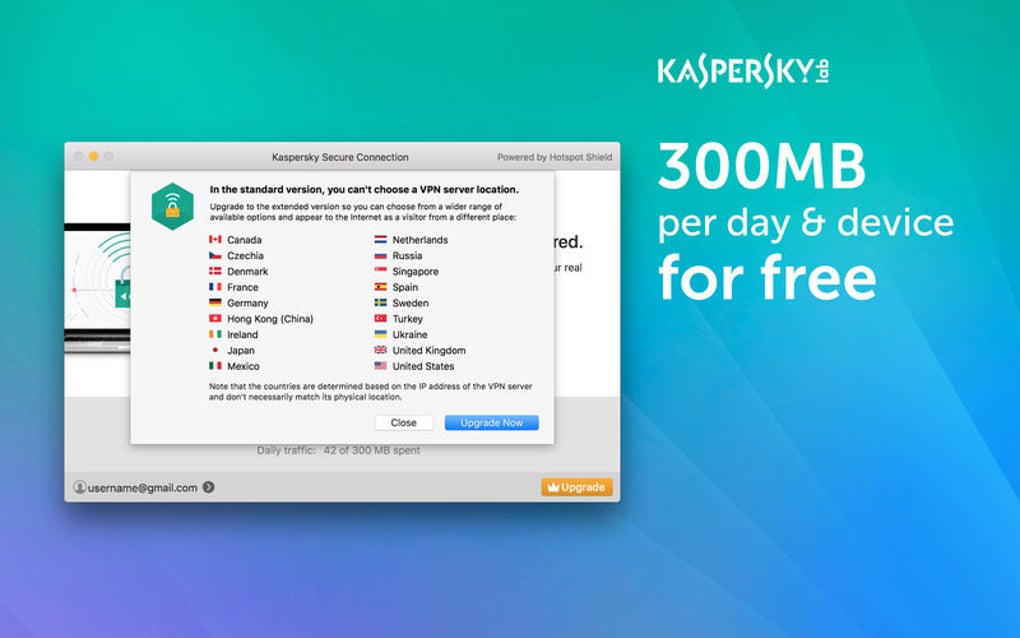
- Multiple virtual locations: Choose from servers in more than 30 countries to bypass geo‑restrictions and enjoy local content.
- Automatic kill switch: Instantly cuts internet access if the VPN connection drops, preventing accidental data exposure.
- One‑click connection: Intuitive UI lets you connect or disconnect with a single tap, suitable for beginners.
- Secure public Wi‑Fi: Protects data on coffee‑shop hotspots, airports, and hotels without extra configuration.
- Streaming optimization: Dedicated servers for Netflix, Hulu, BBC iPlayer, and other popular platforms.
- Cross‑platform support: Native apps for Windows 10/11, macOS 10.14+, Android 6.0+, and iOS 13+.
- Regular updates: Server list and security patches are refreshed automatically to stay ahead of emerging threats.
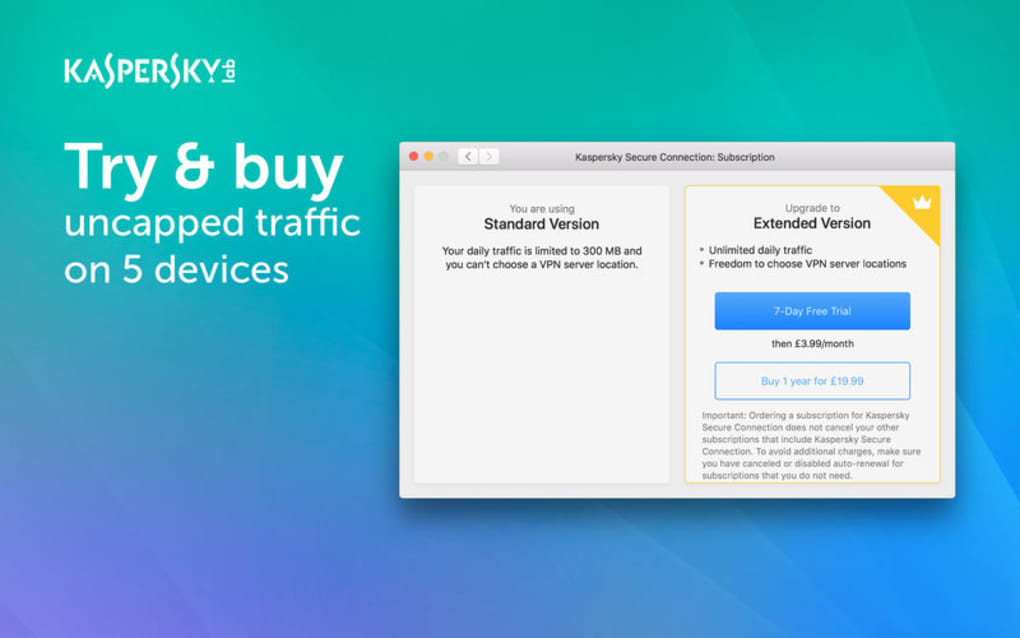
- Affordable pricing: Tiered subscription plans start at $3.99 per month, with a 30‑day money‑back guarantee.
Installation & Usage Guide
Getting Kaspersky VPN Connection up and running is straightforward, regardless of the operating system you use. Follow the steps below for a smooth setup:
Windows & macOS
- Visit the official Kaspersky website and click the Download button for your OS.
- Run the installer (KasperskyVPNSetup.exe for Windows or KasperskyVPN.dmg for macOS) and follow the on‑screen prompts.
- During installation, you’ll be asked to create a Kaspersky account or log in with an existing one – this links your subscription to the device.
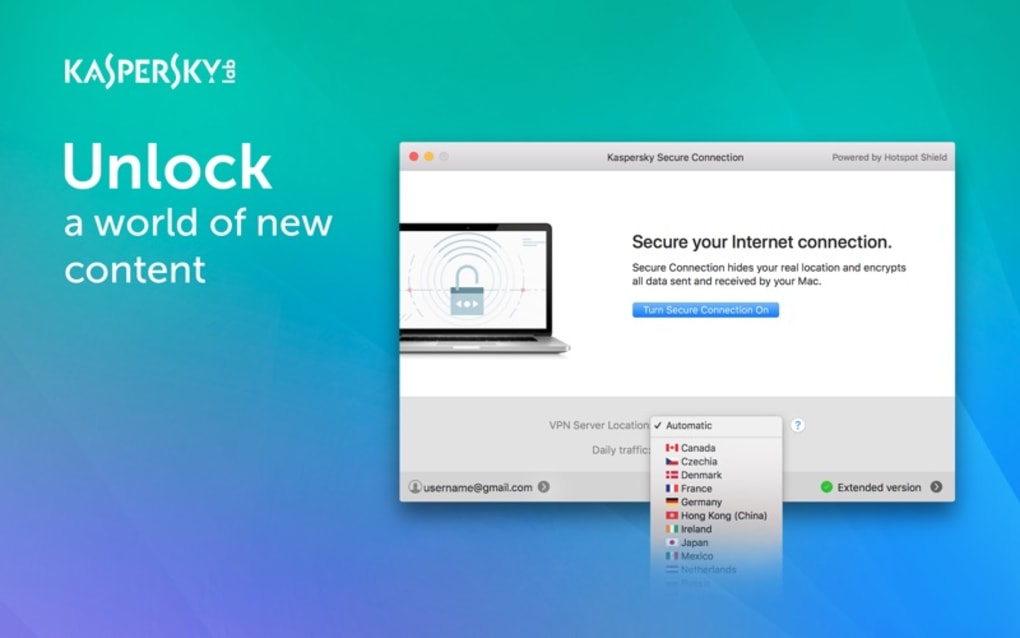
- Once installed, launch the app. The main dashboard displays a large Connect button, a server list, and a status indicator.
- Select a virtual location from the drop‑down menu or let the app choose the fastest server automatically.
- Click Connect. The UI will show a green shield icon when the tunnel is active.
- To enable the kill switch, navigate to Settings → Security and toggle Automatic Kill Switch on.
Android & iOS
- Open Google Play Store or Apple App Store and search for “Kaspersky VPN Connection.”
- Tap Install (Android) or Get (iOS). The app size is under 30 MB, so it downloads quickly on most networks.
- After installation, open the app and sign in with your Kaspersky credentials.
- The mobile UI mirrors the desktop version: a central Connect button, a map of server locations, and a toggle for the kill switch.
- For Android, you may need to grant VPN permission when prompted – this is required for the system to route traffic through the app.
- On iOS, the system will ask you to allow “VPN Configurations.” Accept, and the connection will be established.
Across all platforms, Kaspersky VPN Connection offers a “Quick Connect” option that automatically selects the optimal server based on latency and load. The app also includes a built‑in speed test, allowing you to compare performance before committing to a specific location. Updates are delivered silently in the background, ensuring you always have the latest security patches without manual intervention.
Compatibility, Pros & Cons
Supported Operating Systems: Windows 10/11, macOS 10.14+, Android 6.0+, iOS 13+, and Linux (via manual OpenVPN configuration). The broad compatibility makes Kaspersky VPN Connection a versatile choice for households with mixed devices.
Pros
- Strong AES‑256 encryption paired with a reliable kill switch.
- No‑logs policy backed by Kaspersky’s privacy‑focused legal framework.
- Fast connection speeds thanks to AnchorFree’s high‑capacity servers.
- User‑friendly interface suitable for beginners and advanced users alike.
- Optimized streaming servers reduce buffering on popular platforms.
- Competitive pricing with a generous money‑back guarantee.
Cons
- Limited advanced configuration options for power users (e.g., custom DNS, split tunneling).
- Server network, while solid, is smaller than some premium rivals (≈30 countries).
- Linux support requires manual setup, which may deter non‑technical users.
- Occasional server congestion during peak hours in high‑traffic regions.
Overall Rating: 4.5/5 – Kaspersky VPN Connection delivers a solid blend of security, speed, and simplicity, making it a strong contender in the mid‑range VPN market.
FAQ & Conclusion
Is Kaspersky VPN Connection truly free?
The app offers a 30‑day free trial for new users, after which a subscription is required. There is no permanently free tier.
Does the VPN keep logs of my activity?
No. Kaspersky follows a strict no‑logs policy – connection timestamps, IP addresses, and browsing history are never stored.
Can I use the VPN for torrenting?
Yes. Kaspersky VPN Connection allows P2P traffic on most servers, though users should verify local regulations before downloading copyrighted material.
What happens if my VPN connection drops?
The built‑in kill switch instantly blocks all internet traffic until the tunnel is re‑established, preventing accidental data leaks.
Is the service compatible with routers?
Kaspersky VPN Connection does not provide native router firmware, but you can configure compatible routers manually using OpenVPN profiles.
In summary, Kaspersky VPN Connection offers a compelling mix of security, speed, and ease of use that aligns well with the expectations of modern internet users. Its partnership with AnchorFree ensures a stable server backbone, while Kaspersky’s privacy‑first ethos adds an extra layer of trust. For anyone looking to protect their data on public Wi‑Fi, bypass geo‑restrictions, or simply enjoy a safer browsing experience without compromising performance, this VPN is a solid choice. Ready to experience secure, unrestricted internet? Download Kaspersky VPN Connection now and take advantage of the 30‑day money‑back guarantee.







